Max rents cars from Gjilan and Pristina Airport. We designed and built a website that takes a customer from pickup dates to a complete booking request, with their documents, in Albanian, English, or German.
- Client
- Max Rent a Car
- Location
- Gjilan, Kosovo
- Sector
- Car rental
- Our role
- Design, development, booking flow
- Languages
- Albanian, English, German
- Published
- 2026
The website had to work like the rental desk.
At the desk, the staff confirm a car is free for the dates, take the customer’s details, check their documents, and answer questions. Online, all of that has to happen without anyone there to help, and without turning a short trip into paperwork.
Two pickup points. Cars leave from Gjilan and from Pristina Airport, and a trip can end somewhere other than where it started.
Three languages. The same booking has to read naturally in Albanian, English, and German, for people at home and people flying in.
Paperwork before the keys. Max needs contact details, an ID, and a driver’s license for every rental, ideally before the customer arrives.
Three rules for every screen
Trip first. Availability depends on place and time, so the site asks for both before it shows a single car.
Every car, the same way. One photograph style and one set of specifications, so the differences between cars are the real ones.
Never lose the thread. The trip and the chosen car stay on screen from search to the last form field.
The decisions behind the booking
Five choices shaped the experience, each shown on the screen it shaped.
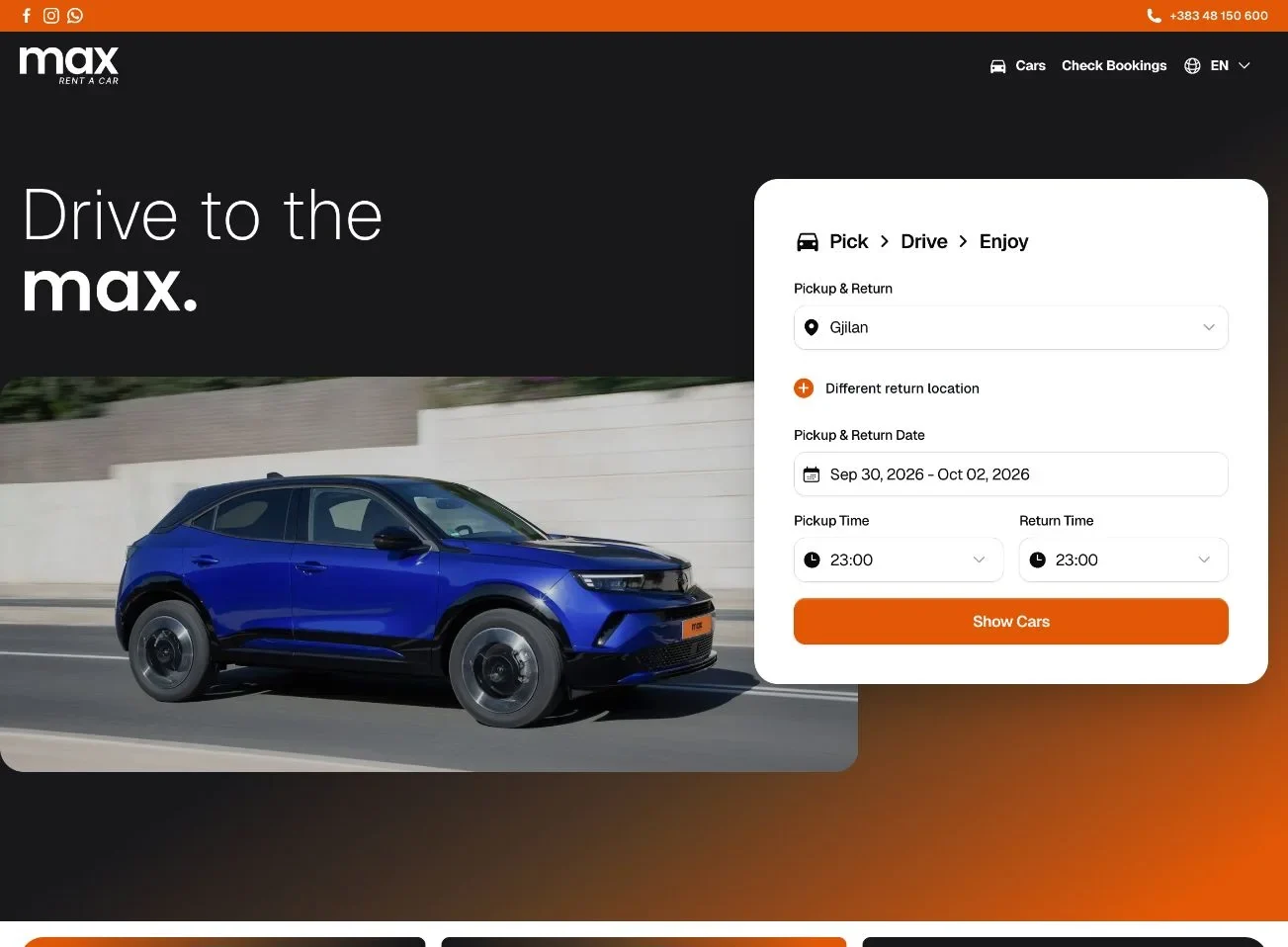
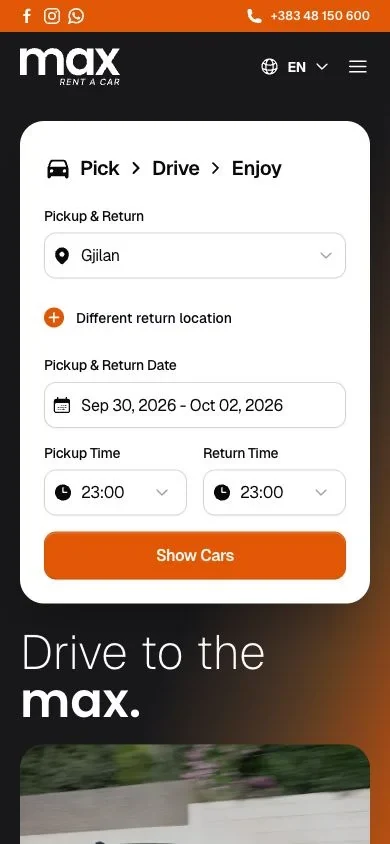
Start with the trip, not the catalog. A car is only a real option if it is free on the customer’s dates at the customer’s pickup point. The search form comes first, so every car shown afterwards can actually be booked. On phones it sits above the headline and the photography.
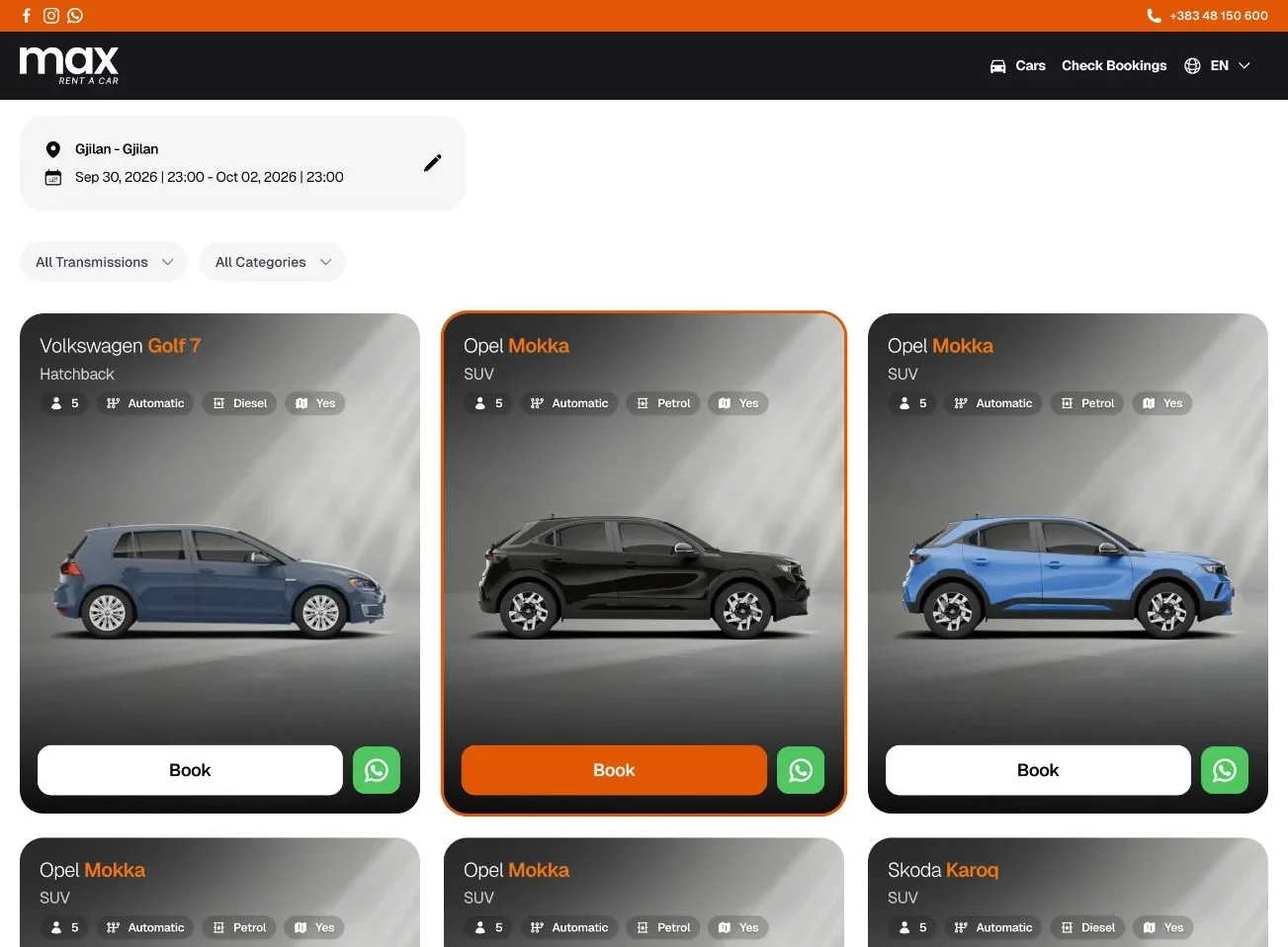
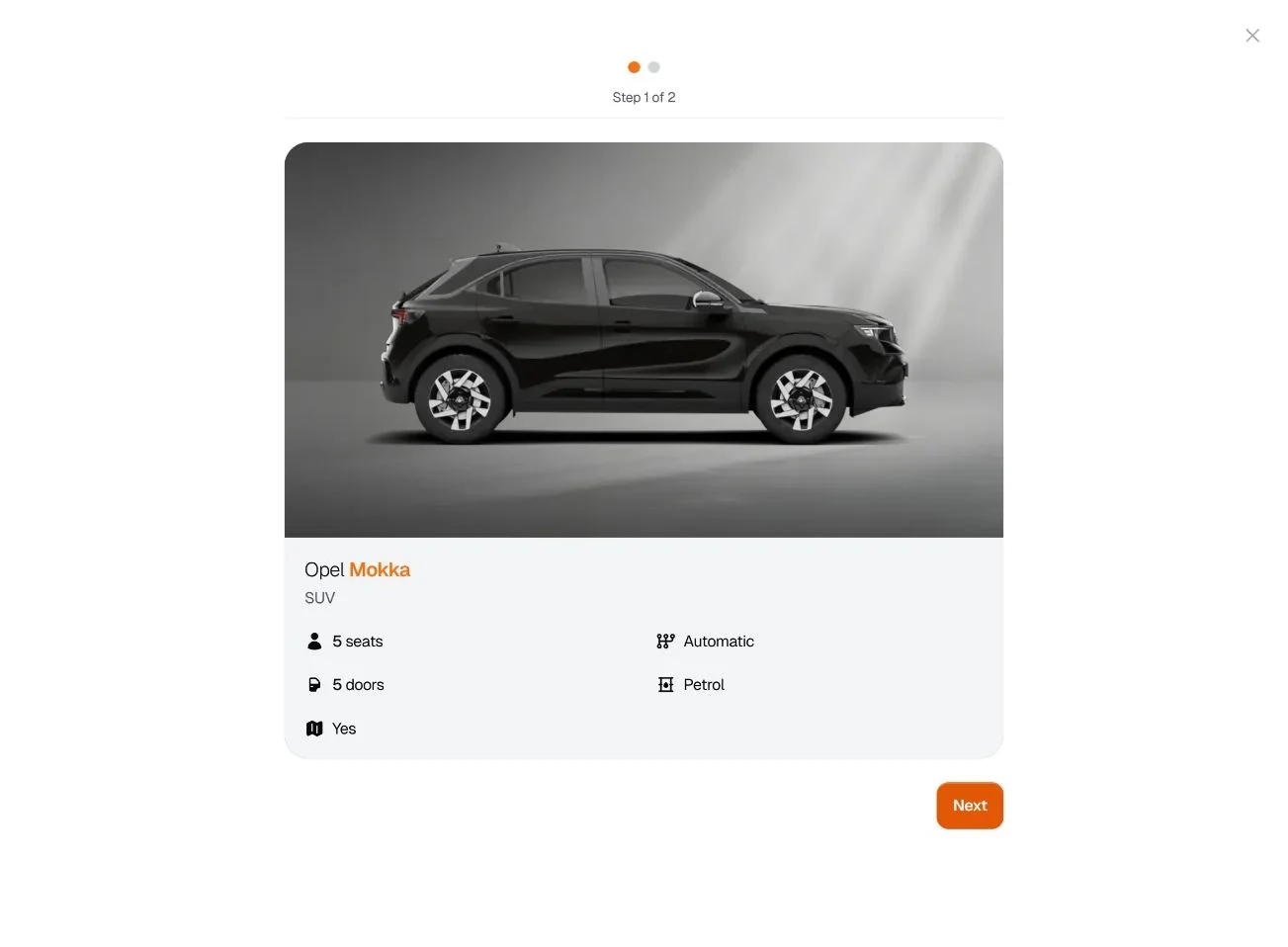
Make every car comparable at a glance. Each car is photographed from the side on the same studio backdrop, with the same four specification chips. The make is set in a regular weight and the model in orange, so a row of cards reads like a lineup.
Confirm the car before the paperwork. Booking opens in two steps. The first shows only the chosen car and its details, so the customer agrees on what they are renting before typing anything. The step indicator says how much is left.
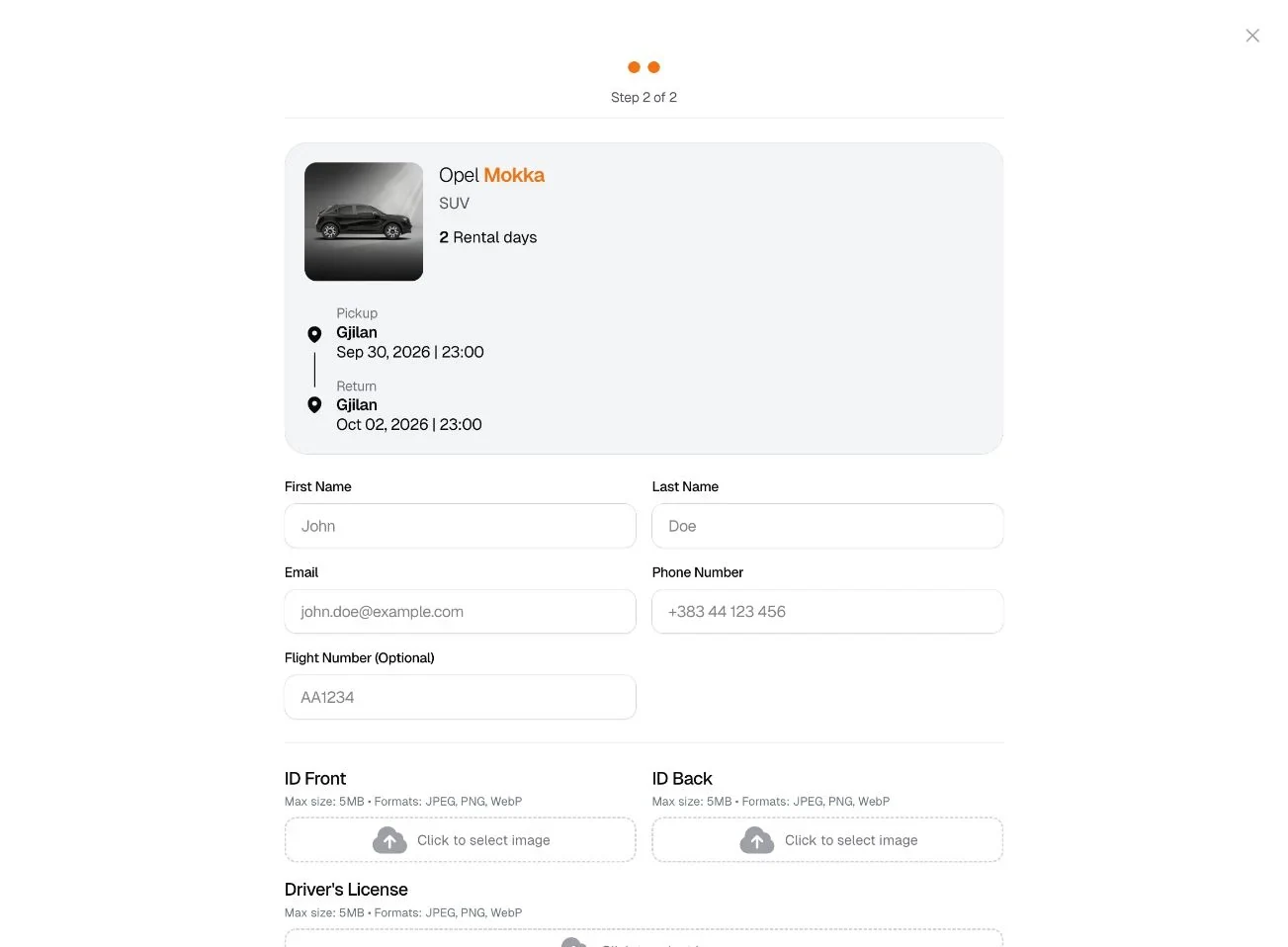
Keep the reservation in view while filling in details. The second step opens with a summary of the car, the number of rental days, and the pickup and return, drawn as a short route. Identity documents and the driver’s license are uploaded here, so the handover at the desk can be quick.
Leave a human route open. Some customers want to ask a question before they commit. Every car card has a WhatsApp button next to Book, so the conversation starts about a specific car instead of a general enquiry.
Designed in Max’s own colors
The interface takes its contrast from the Max logo: a near-black ground, a single orange for action, and type that pairs a light weight with a bold one. The same rules carry every screen, from the homepage headline to a specification chip.
The homepage headline, “Drive to the max.”, sets a light line against a bold one. Car names follow the same idea: the make in a regular weight, the model in orange.
One card pattern for every car: name, category, the same specification chips, and two clear actions.
The finished journey, screen by screen
These are the actual screens from the live website. Select a step to see it.
Screen from the live website.
Built for how Max works
The details that do not show in a screenshot, but decide whether a booking actually reaches the office.
Three languages, three addresses. Albanian, English, and German each have their own URLs, linked with hreflang tags so search engines show people the version in their language.
Booking lookup without an account. Customers check a reservation with their six-digit booking number and the email they used. There is no password to remember for a two-day rental.
Documents with the booking. ID front, ID back, and driver’s license are uploaded in the booking form, in JPEG, PNG, or WebP up to 5 MB each.
Pickup, return, and one-way trips. Gjilan and Pristina Airport are both pickup points, and a different return location is part of the same search.